Know what you have.
Build your catalog with unique SKUs, categories, storage locations, and unit costs. Find any product with search and filters.
A HOME FOR EVERY PRODUCTA LITTLE ORDER GOES A LONG WAY
Less searching. Fewer surprises. Give your products, stock, and storage locations one organized place to call home.
No account needed · Start with a sample inventory
For the things
you need to keep track of.
CLARITY, AT A GLANCE
See what is available, where it belongs, and what needs attention. All from a calm, practical workspace.
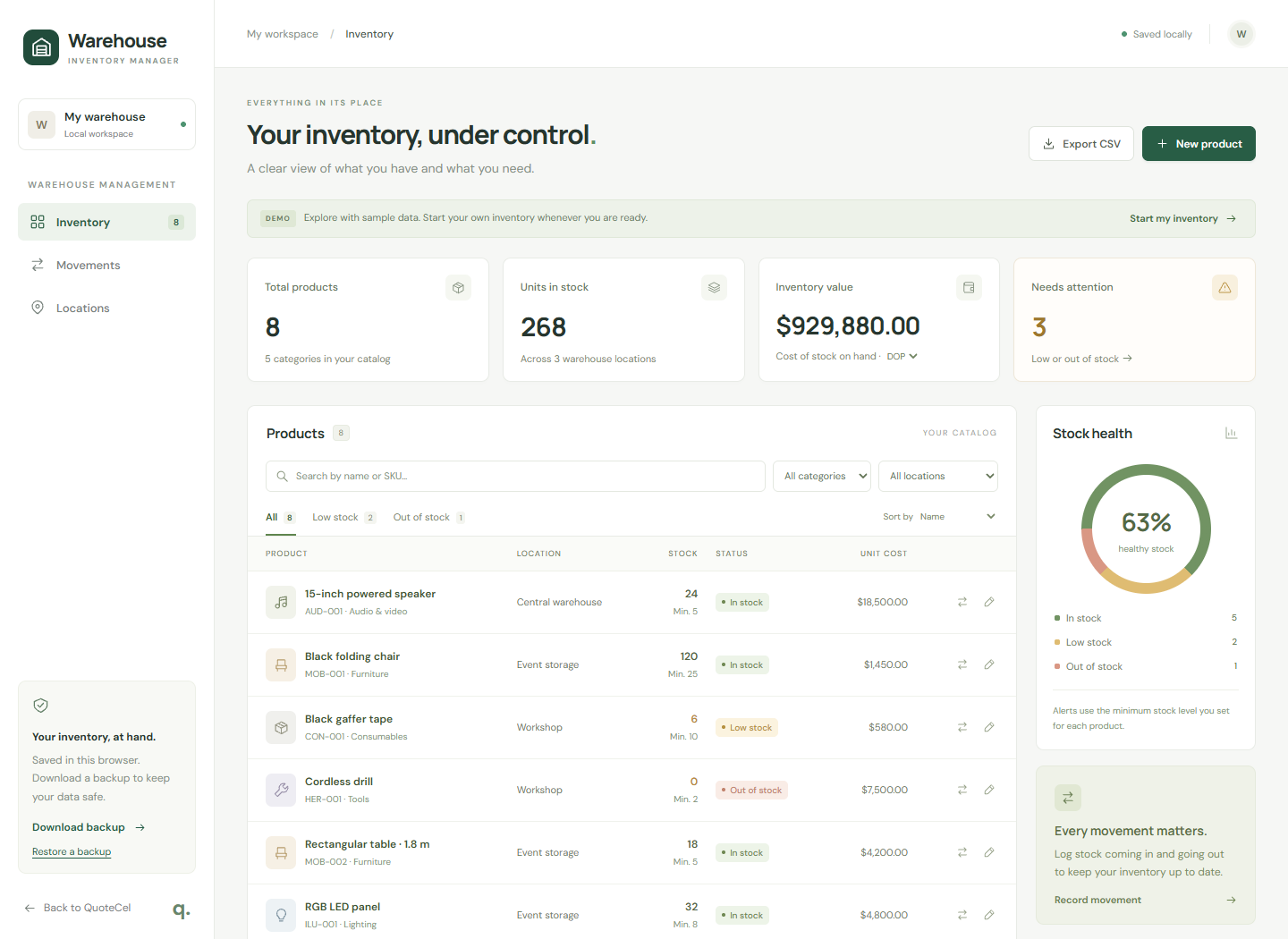
Build your catalog with unique SKUs, categories, storage locations, and unit costs. Find any product with search and filters.
A HOME FOR EVERY PRODUCTRecord stock coming in, going out, or changing after a physical count. Each movement keeps its reference and before-and-after quantities.
A HISTORY YOU CAN FOLLOWSet a minimum for each product. See what is running low or out of stock, so you can plan your next restock.
LESS GUESSWORK, MORE CLARITYSMALL STEPS. MORE ORDER.
No account to create. No complicated setup. Just open the app and make it yours.
Find your starting pointExplore the sample inventory. When you are ready, select “Start my inventory” to begin with a clean slate.
Add locations and products. Enter opening quantities, unit costs, and the stock minimums that work for you.
Log receipts, issues, and stock counts. Export a CSV when you need it, and download backups to keep your records safe.
SIMPLE BY DESIGN
Your inventory is saved locally on this device. Download a JSON backup to keep a copy or restore it in another browser. There is no cloud sync or shared team workspace, and clearing browser data removes your saved inventory.
A FEW GOOD QUESTIONS
A few details before you settle in.
No. Open the app to explore the demo, then choose “Start my inventory” when you are ready to add your own products.
In this browser on this device. It stays available when you reload or return later. It does not sync across devices, and clearing browser data removes it. Download backups regularly.
Yes. Export filtered products or movements as CSV files. A JSON backup includes your full inventory, locations, settings, and movement history. Restore that backup to move your inventory to another browser.
Yes. Add locations and assign each product to one location. You can filter inventory by location. A stocked product must reach zero stock before you can change its assigned location.
Choose DOP, USD, or EUR for unit costs and inventory value. Changing currency relabels amounts; it does not convert them. Stock quantities are tracked in whole units.
A FRESH START FOR YOUR STOCK
Make room for a more organized day.
Open inventory manager No account. No setup. Just a place to start.